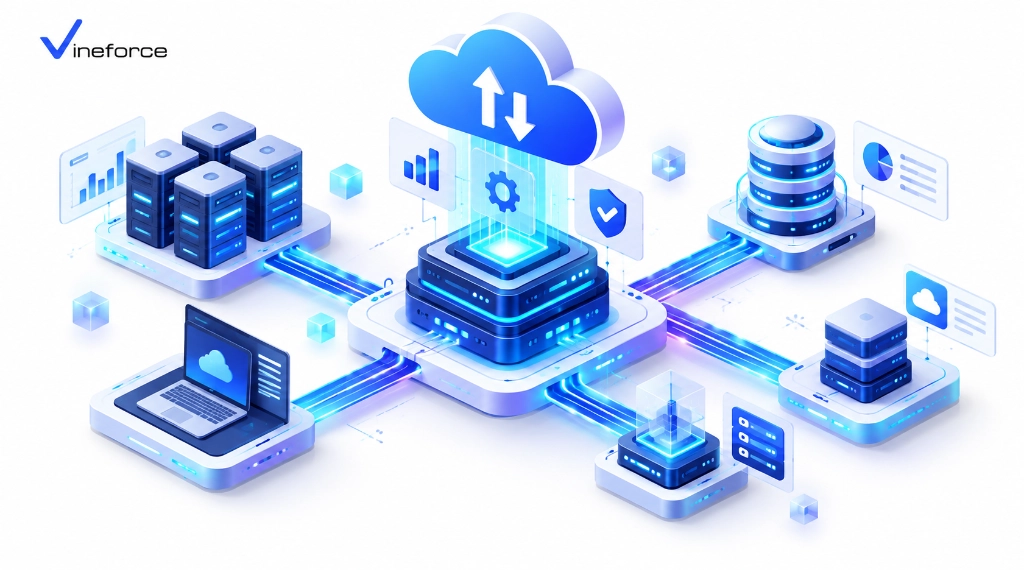
Azure OpenAI + MCP: Building AI Applications Around Your Business Data
- Harsh Gupta
- 11 Sep, 2026
- 05 Mins read
- Azure , AI , Architecture
The gap between an LLM that can reason and an LLM that can actually answer questions about your business data has always been the hard part. Azure OpenAI handles the model side well — it’s enterprise-grade, your data stays private, and the compliance story for HIPAA and GDPR is solid. What it doesn’t give you out of the box is a structured, governed way to connect that model to Microsoft SQL Server, Azure SQL Database, and the internal APIs your business actually runs on. That’s where Model Context Protocol (MCP) fits.
Quick Summary: Pairing Azure OpenAI Service with Model Context Protocol (MCP) provides a secure architecture for enterprise AI applications. Azure OpenAI handles enterprise-grade LLM inference with strict data privacy guarantees, while an ASP.NET Core MCP server hosted on Azure Container Apps acts as a governed gateway to SQL Server and Azure SQL databases using passwordless Entra ID Managed Identities.
Table of Contents
Open Table of Contents
- The Enterprise AI Imperative in Microsoft Azure
- Architecture Overview: Azure OpenAI + MCP Stack
- Core Components of the Azure MCP Architecture
- Implementing the Azure OpenAI + .NET MCP Pipeline
- Network Isolation & Zero-Trust Cloud Topology
- Optimizing Performance and Token Costs on Azure
- Frequently Asked Questions (FAQ)
- Conclusion
The Enterprise AI Imperative in Microsoft Azure
Building AI applications on Azure comes with non-negotiable constraints that general-purpose LLM tutorials usually skip over:
- Data privacy is a hard requirement: Prompts and enterprise data processed by the model cannot leak into public training sets. Azure OpenAI’s enterprise tier guarantees this at the service level.
- No hardcoded credentials: Cloud security policy means no database passwords or API keys in configuration files. Managed Identities are the path here.
- Controlled tool execution: AI models cannot be allowed to run unmonitored, dynamic queries against production databases.
Combining Azure OpenAI with MCP addresses all three cleanly. If you want to understand the protocol mechanics first, our overview on what Model Context Protocol (MCP) is is a good foundation.
Architecture Overview: Azure OpenAI + MCP Stack
The recommended architecture places an MCP server microservice between your client application, Azure OpenAI, and your cloud database tier:
+-----------------------------------------------------------------------------------+
|  Azure Virtual Network (VNet)                                                     |
|                                                                                   |
|  [ Agent Web App / Frontend ]                                                     |
|              |                                                                    |
|              +---> (1. HTTPS Request + User Entra ID Token)                       |
|              v                                                                    |
|  [ ASP.NET Core MCP Server ] (Hosted on Azure Container Apps / App Service)       |
|        |                  |                                                       |
|        | (2. Rest Tools)  +---> (3. Private Link) ---> [ Azure Key Vault ]        |
|        v                  |                                                       |
|  [ Azure OpenAI ]         +---> (4. Passwordless Sql) -> [ Azure SQL Database ]   |
|  (GPT-4o Deployment)                                                              |
+-----------------------------------------------------------------------------------+
Core Components of the Azure MCP Architecture
1. Azure OpenAI Service
Azure OpenAI hosts GPT-4o and GPT-4o mini deployments backed by Azure enterprise SLAs, regional data residency, and privacy commitments that matter for regulated industries:
Data Privacy Assurance: Microsoft does not use customer data sent to Azure OpenAI to train Microsoft or OpenAI models. Prompts, completions, and MCP tool payloads remain isolated within your Azure subscription boundary.
2. ASP.NET Core MCP Gateway (.NET 9)
An ASP.NET Core web microservice hosts your MCP tools. Built on .NET 9 with Native AOT and minimal APIs, this gateway handles JSON-RPC 2.0 requests from AI agents and executes typed database queries or API calls with low overhead. For the full implementation guide, our developer walkthrough on building an MCP server with .NET covers project structure, DI setup, and authentication middleware.
3. Azure SQL Database & Azure Data Services
Azure SQL serves as the core relational data store. SQL firewall rules, Private Link endpoints, and Managed Identities keep the database off the public internet while still accepting queries from the MCP gateway. Our guide on connecting SQL Server to AI using MCP covers the read-only credential setup and parameterized query patterns you’ll want in place.
4. Microsoft Entra ID & Azure Key Vault
- Microsoft Entra ID handles authentication across the full stack using User-Assigned or System-Assigned Managed Identities — no service account passwords to rotate.
- Azure Key Vault stores encryption keys, application secrets, and third-party API credentials, accessible only via Managed Identity. If you hit issues with Key Vault references resolving on App Service, our guide on Azure App Service Key Vault reference identity setup covers a common configuration pitfall.
Implementing the Azure OpenAI + .NET MCP Pipeline
In C#, the official Azure SDK handles orchestration between Azure OpenAI and your MCP tool registry:
using Azure.AI.OpenAI;
using Azure.Identity;
using OpenAI.Chat;

public class AzureOpenAiMcpOrchestrator
{
    private readonly ChatClient _chatClient;
    private readonly McpToolRegistry _mcpToolRegistry;

    public AzureOpenAiMcpOrchestrator(IConfiguration config, McpToolRegistry mcpToolRegistry)
    {
        _mcpToolRegistry = mcpToolRegistry;

        // Use DefaultAzureCredential for passwordless authentication!
        var endpoint = new Uri(config["AzureOpenAI:Endpoint"]!);
        var azureClient = new AzureOpenAIClient(endpoint, new DefaultAzureCredential());
        _chatClient = azureClient.GetChatClient(config["AzureOpenAI:DeploymentName"]);
    }

    public async Task<string> ProcessUserQueryAsync(string userPrompt, CancellationToken ct)
    {
        var chatOptions = new ChatCompletionOptions();

        // 1. Map registered MCP tools into Azure OpenAI tool definitions
        foreach (var tool in _mcpToolRegistry.GetTools())
        {
            chatOptions.Tools.Add(ChatTool.CreateFunctionTool(
                functionName: tool.Name,
                functionDescription: tool.Description,
                functionParameters: BinaryData.FromString(tool.JsonSchema)
            ));
        }

        // 2. Invoke Azure OpenAI model
        ChatCompletion completion = await _chatClient.CompleteChatAsync(
            [new UserChatMessage(userPrompt)], chatOptions, ct);

        // 3. Handle tool calls selected by the model
        if (completion.FinishReason == ChatFinishReason.ToolCalls)
        {
            foreach (var toolCall in completion.ToolCalls)
            {
                // Execute MCP tool in server layer safely
                var resultJson = await _mcpToolRegistry.ExecuteToolAsync(toolCall.FunctionName, toolCall.FunctionArguments);
                // Return result to model for final natural language synthesis
            }
        }

        return completion.Content[0].Text;
    }
}
Network Isolation & Zero-Trust Cloud Topology
All Azure resources in a production MCP deployment should sit inside an Azure Virtual Network using Azure Private Endpoints:
- Disable public IP network access on Azure SQL Database and Azure Key Vault.
- Deploy your .NET MCP server inside an Azure Container Apps Environment with VNet integration.
- Use Azure Application Gateway with Web Application Firewall (WAF) to inspect external chat client HTTPS requests before they reach the MCP layer.
For a full security hardening guide, our deep-dive on building a secure MCP server for enterprise applications covers authentication, authorization, and input validation in detail.
Optimizing Performance and Token Costs on Azure
When Azure OpenAI + MCP scales across larger enterprise teams, a few practical optimizations matter:
- Tool Definition Caching: Cache tool JSON schemas in memory within the MCP gateway. Tool schema generation should add zero database overhead per request.
- Semantic Caching: Store frequent question-and-answer pairs in Azure Cache for Redis to avoid re-running LLM inference on identical queries — this can meaningfully reduce token costs in high-volume scenarios.
- Azure Container Apps Auto-Scaling: Configure KEDA scalers to scale your MCP container instances based on incoming JSON-RPC traffic. MCP workloads tend to be bursty, so auto-scaling to zero during off-hours keeps costs in check.
To learn how Vineforce’s team handles end-to-end architecture for AI data integration, explore Vineforce AI Database Integration Solutions.
Frequently Asked Questions (FAQ)
Why pair Azure OpenAI Service with Model Context Protocol (MCP)?
Azure OpenAI provides enterprise-grade, privacy-compliant LLM inference models (like GPT-4o). Model Context Protocol (MCP) provides a secure, standardized middleware specification for connecting those models to Azure SQL databases, internal REST APIs, and enterprise data sources.
Does Azure OpenAI train on business data sent through MCP tools?
No. Enterprise Azure OpenAI Service instances guarantee that customer data, prompts, and tool output payloads are not used to train or refine Microsoft or OpenAI base models.
How do Microsoft Entra ID Managed Identities simplify Azure OpenAI + MCP deployments?
Managed Identities eliminate hardcoded API keys and database passwords. The MCP server service running on Azure App Service or Container Apps authenticates to Azure OpenAI, Key Vault, and Azure SQL using passwordless tokens.
Where should an enterprise MCP server be hosted in Azure?
Enterprise MCP servers are typically hosted on Azure Container Apps or Azure App Service inside an Azure Virtual Network (VNet) with private endpoints, ensuring traffic never traverses the public internet.
Conclusion
Azure OpenAI gives you a capable, compliant model. MCP gives you a governed way to connect that model to the data and APIs your business runs on. Together, they form a stack where you know exactly what the AI can see, what it can do, and who asked for it — which is the bar enterprise AI deployments actually need to clear.
If you need help architecting this stack around your existing Azure SQL, Entra ID configuration, and business APIs, Vineforce has built this in production and can help you get it right from the start.